


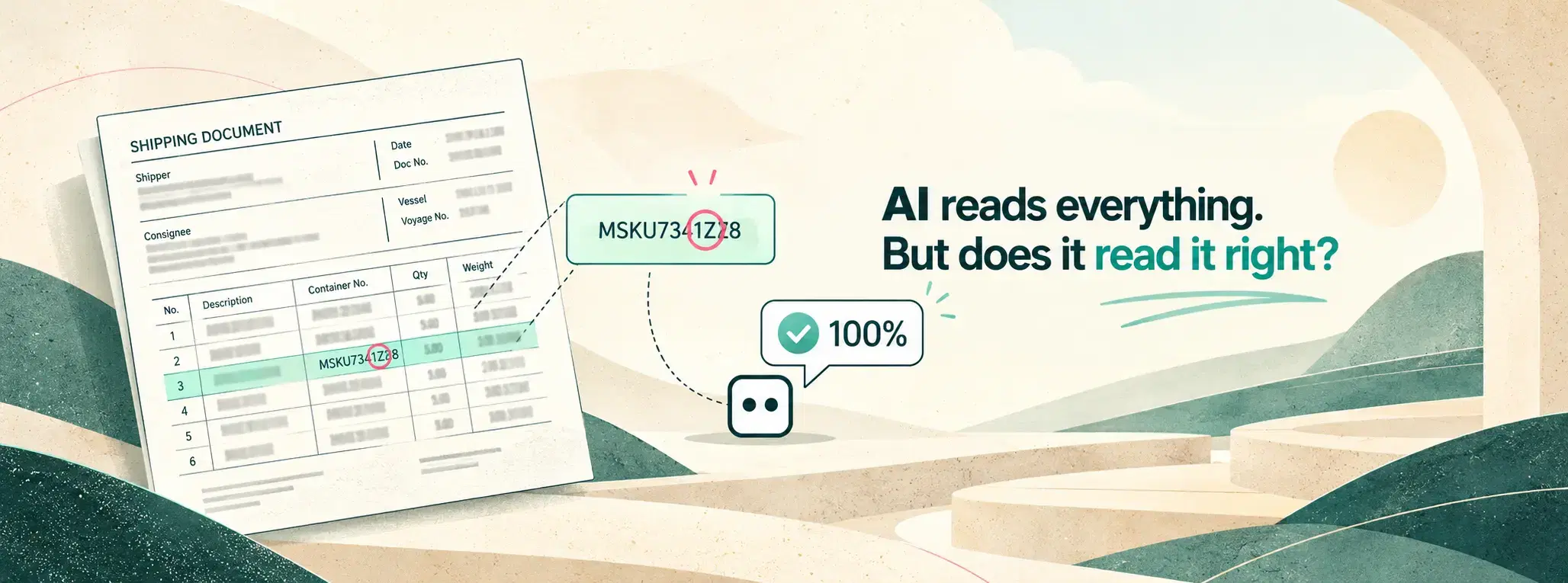
How Can You Automate Document Processing with an LLM and Still Trust the Results?
The LLM said it was 100% sure. It was wrong. Here is what we learned, and the simple idea that made automation safe.
 Vivek Satasiya8 min read
Key takeaways
- Don't trust the LLM's own confidence. It will report 100% certainty even when the answer is wrong.
- Add a check that sits outside the LLM and gives a clear yes or no.
- Check passes: the document goes through on its own. Check fails: a person reviews it.
- That way you can automate most of the work and still catch the mistakes. On this project, only 5 to 7 documents in 100 now need a person.
Here is how we learned this the hard way.
A vehicle import company came to us with a familiar problem.
Every shipment comes with a Bill of Lading. It is the document that lists every vehicle on board. Each vehicle has a VIN: a 17-character code of letters and numbers. Think of it as a fingerprint for a car.
Their team was typing these VINs by hand. From scanned papers into Excel. Then from Excel into their company's main system.
The scans were not easy. Every sender used a different layout. Some pages were so blurry you could not read them, even after zooming in.
And the VIN had to be exactly right. One wrong character and the paperwork is wrong. The car can be held at the port.
The easy part worked
We set up an LLM to read the documents. On clear scans, it did very well.
On blurry scans, it made mistakes. That is normal. A person would make mistakes on a page they can barely see, too.
That was not the real problem. Our plan was simple:
- Let the LLM handle the clear documents.
- Send the unclear ones to a person.
The real problem was this: how do you know which ones are unclear?
So we asked the LLM
We asked the LLM to tell us how sure it was about each VIN.
It said 100%. Every time.
Even when the VIN was wrong.
We tried several LLMs. Same story. Each one gave a confident answer, and the confidence told us nothing about whether the answer was right.
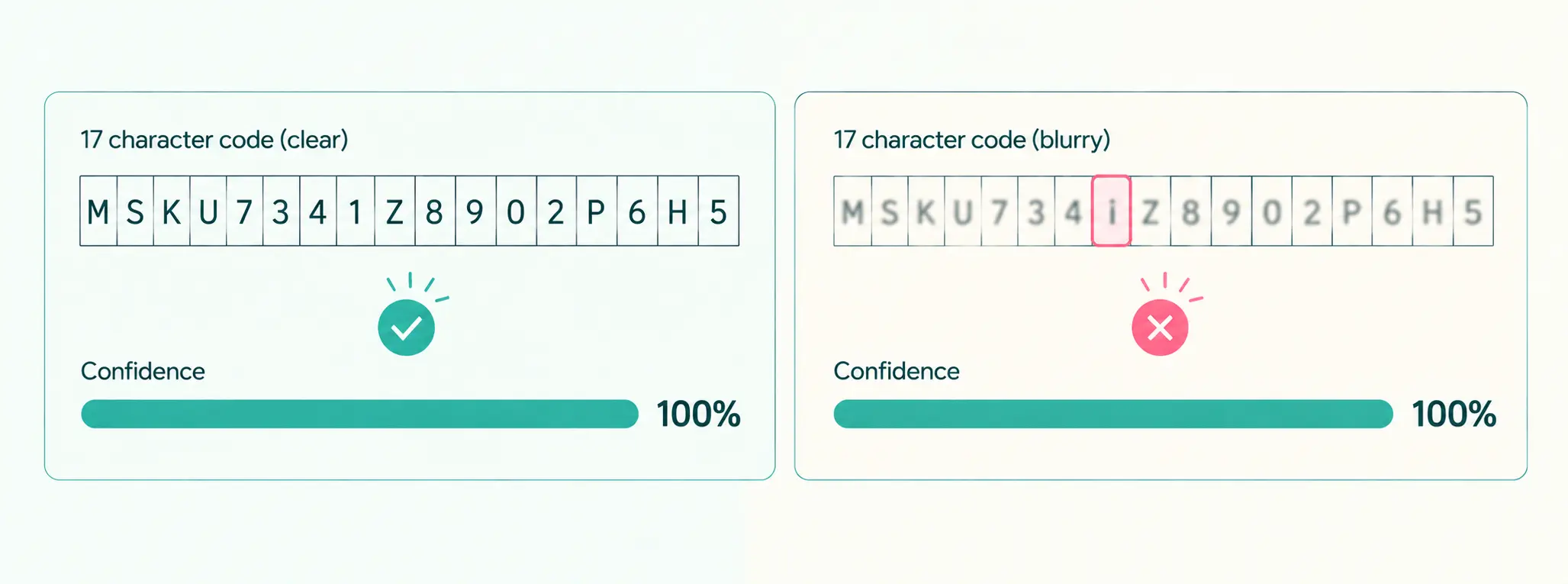
This is a trap many teams fall into. An LLM is built to give an answer. It is not built to know when it is wrong.
Asking an LLM "are you sure?" is like asking a student to mark their own exam.
The real question is not "how smart is the LLM?"
The real question is: can we check its work?
Look at how LLMs write software today. Coding tools got good very quickly. Not only because the models got smarter. It is because code can be checked. You run the tests. If something breaks, the LLM sees the error and fixes it. The test does not guess, and it does not lie.
Documents need the same thing. A check that sits outside the LLM and gives a clear yes or no.
Once you have that check, a simple rule becomes possible:
- Check passes: the document goes through on its own.
- Check fails: the document goes to a person.
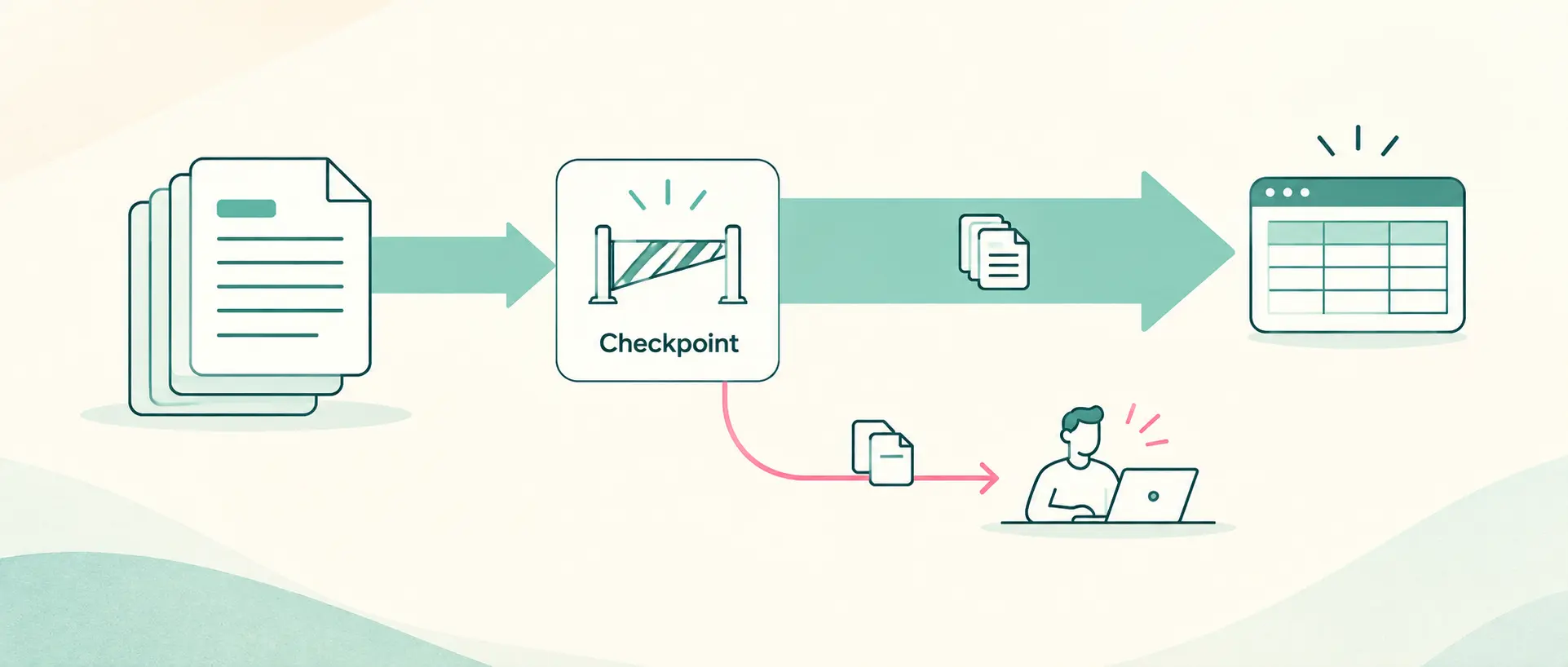
You do not need the LLM to be perfect. You need to know when it is not.
Four ways to check the LLM's work
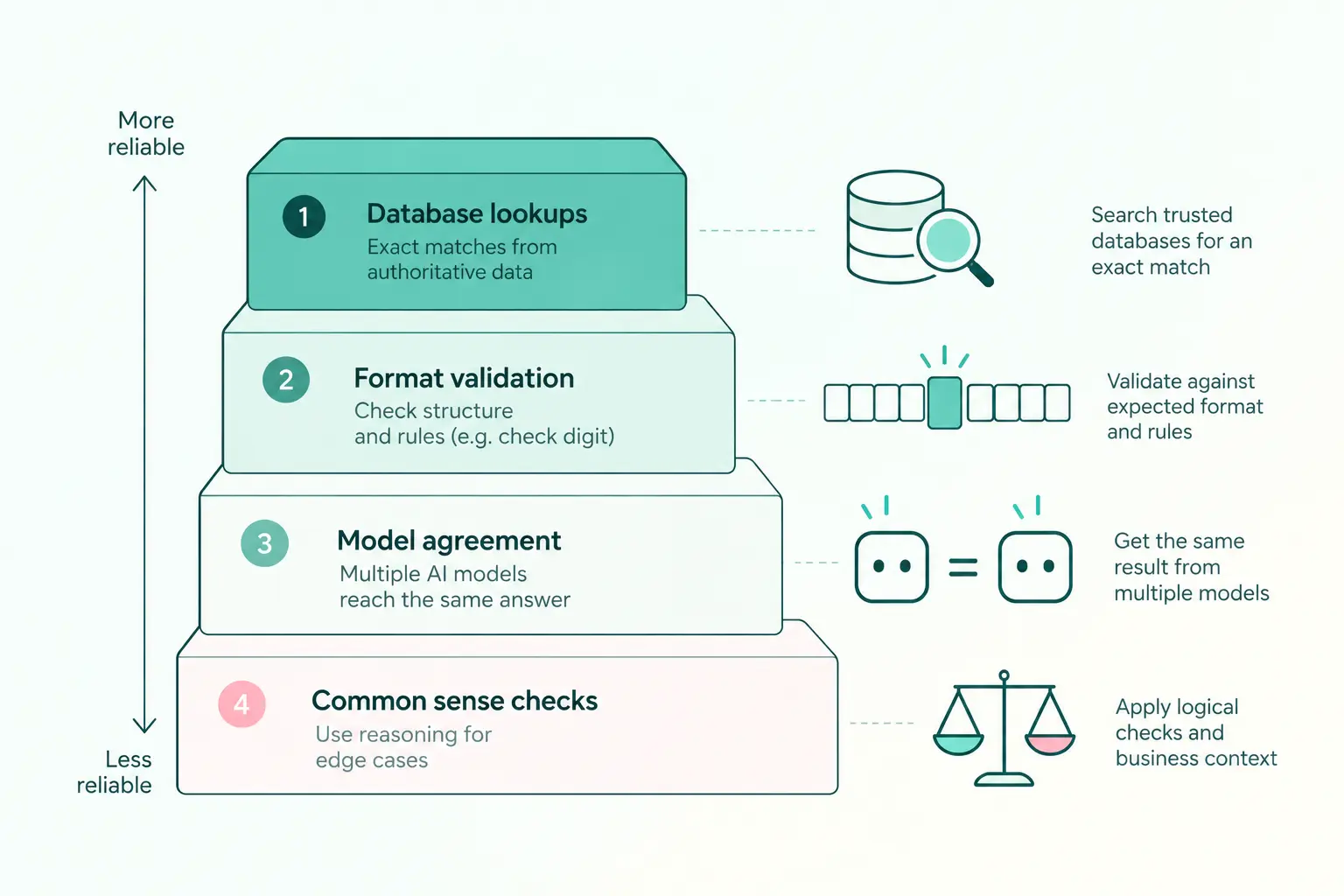
Here are four ways to do it, from most reliable to least.
1. Look it up in your own records
If the value already exists in your system, check it there.
Say the LLM reads an invoice number. Search for it in your system. Found? It is correct. Not found? A person takes a look.
The catch: this only works if the data already exists somewhere. For us, it did not. The Bill of Lading was the very first time these VINs entered the company's system. There was nothing to compare against.
2. Use the rules built into the data
This is the one we used.
A VIN is not a random string. It follows a worldwide standard. It is always exactly 17 characters. Many VINs also carry a check digit: one character that is calculated from all the others. If the LLM misreads a character, the calculation usually stops adding up.
So after the LLM read each VIN, we ran two quick checks:
- Is it exactly 17 characters?
- Does the check digit add up?
Both pass? The VIN goes through. Either one fails? A person looks at it, with the original scan right next to it.
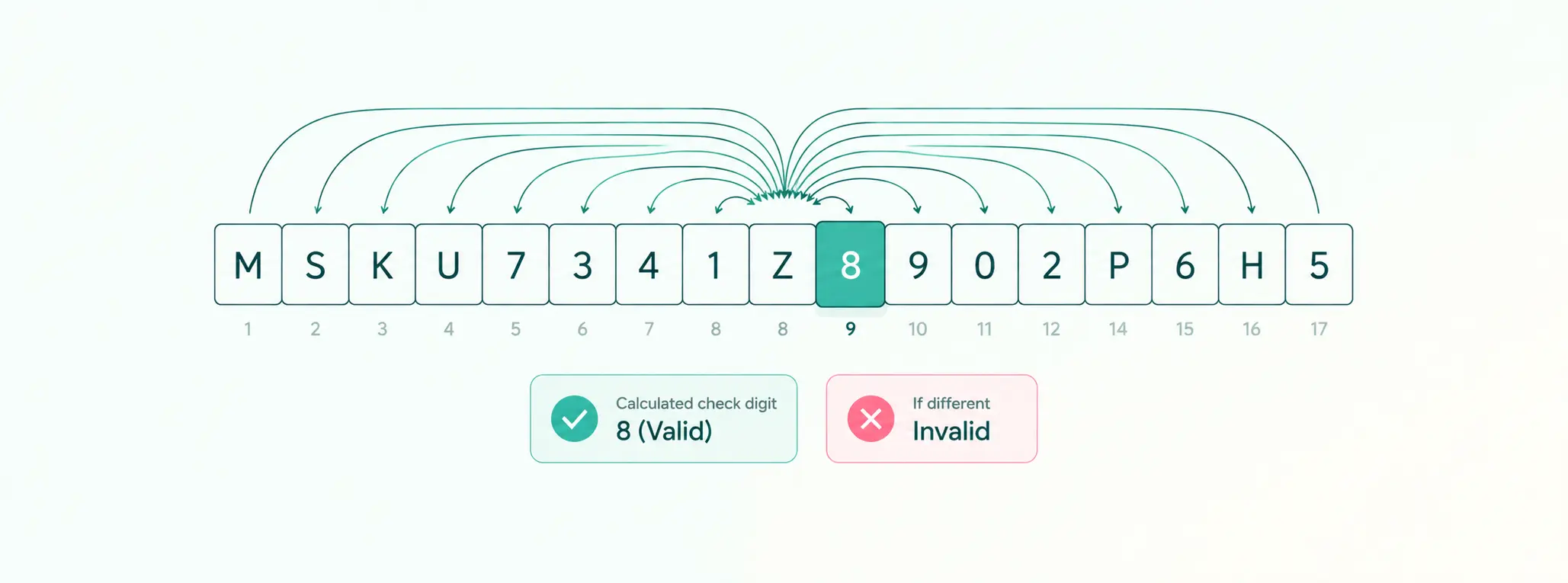
The result: only 5 to 7 out of every 100 documents now need a person. The rest go straight through.
3. Ask two LLMs and compare
What if there is no record to look up and no built-in rule?
Have two different LLMs read the same document. If they agree, accept the answer. If they disagree, send it to a person. It works like double entry in accounting.
The catch: you pay twice, because every document is read twice. More documents also go to people, often 15 to 30 out of 100, depending on the job. And pick two models that are both good at reading documents. If one is weak, it will disagree a lot and create false alarms. Even so, around 70% of documents can go through on their own.
4. Use a model that is built to judge
Some newer models are made for judging, not writing. OpenAI's Decisions API is one example. You can give it the scanned page and the VIN the first LLM read, and ask: "Does this page show this VIN?" It gives back a probability.
The catch: a probability is still not a guarantee. You need to test it on your own documents first, and decide how high the score must be before you trust it.
Simple checks you can use on almost any document
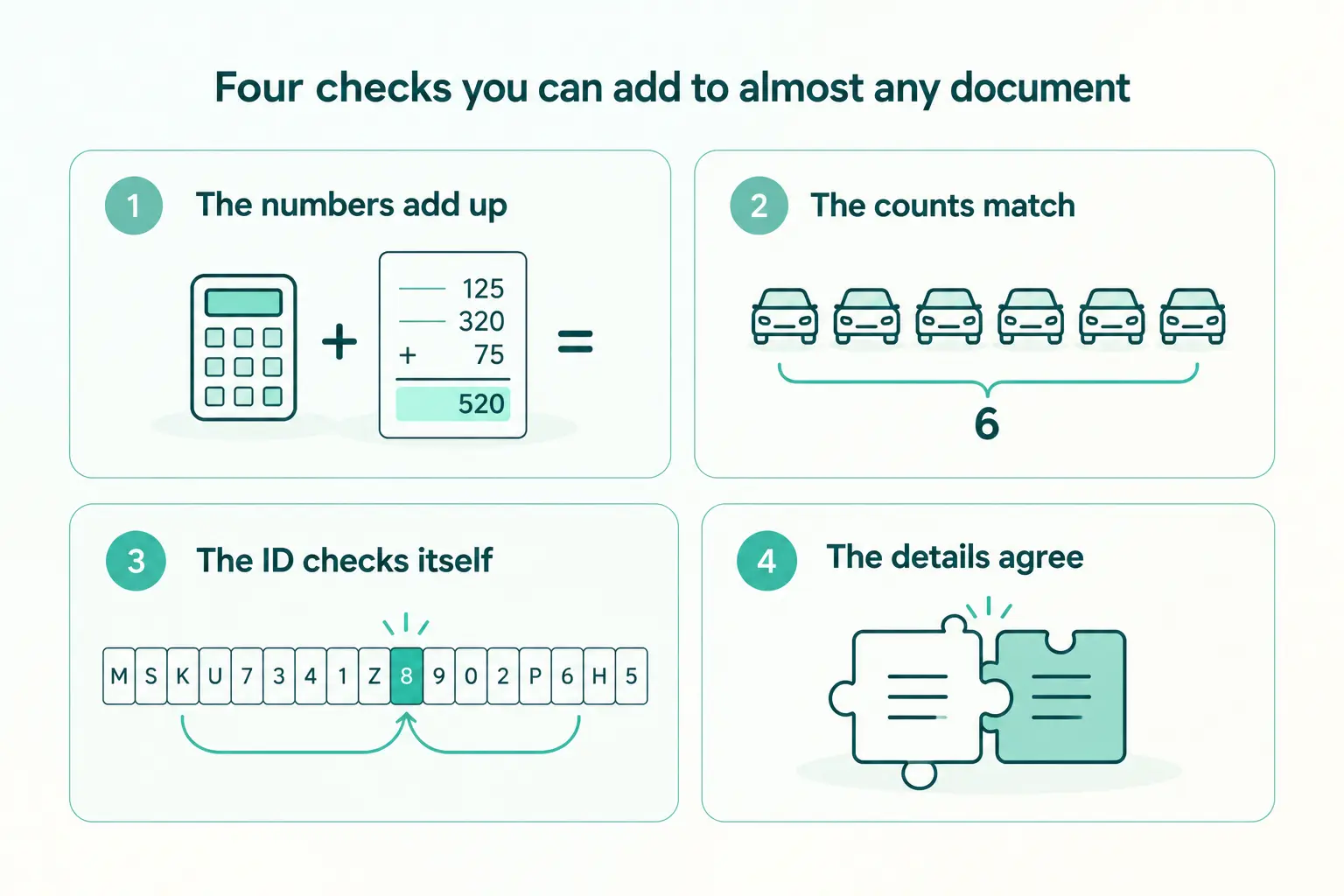
You do not need VINs to use idea number 2. Most business documents have rules hiding inside them.
- The numbers must add up. Quantity times price should equal the line total. The lines should add up to the invoice total. The tax should match the rate.
- The counts must match. If the Bill of Lading says 6 cars, you should have 6 VINs. This one matters more than it looks. A check can tell you a value is wrong. It cannot tell you a value is missing. Counting catches what the LLM skipped.
- Many IDs check themselves. Shipping container numbers, ship numbers, bank account numbers (IBAN) and many tax IDs carry their own check digit, just like VINs.
- The details must agree with each other. The first three characters of a VIN tell you who made the car. If the VIN points to one brand and the document names another, something is off.
One more step: check the checker
Even with good checks in place, do not just assume they work.
Every week, pick a few documents that went through on their own. Have a person review them. If mistakes are slipping through, you find out early. And you have proof to show your team that the automation is safe.
The takeaway
Before you automate a document process, do not ask, "How accurate is the LLM?"
Ask this instead:
"For every important field, how will we know when it is wrong?"
If you have a clear answer, you can automate most of the work and send only the hard cases to a person.
If you do not, the LLM will keep telling you it is 100% sure. And you will have no way of knowing when it is not.
Look at the documents your team handles every day. Which fields could you check without taking the LLM's word for it?
Read the full case study: From manual document work to an AI assisted way of working
Share this article


