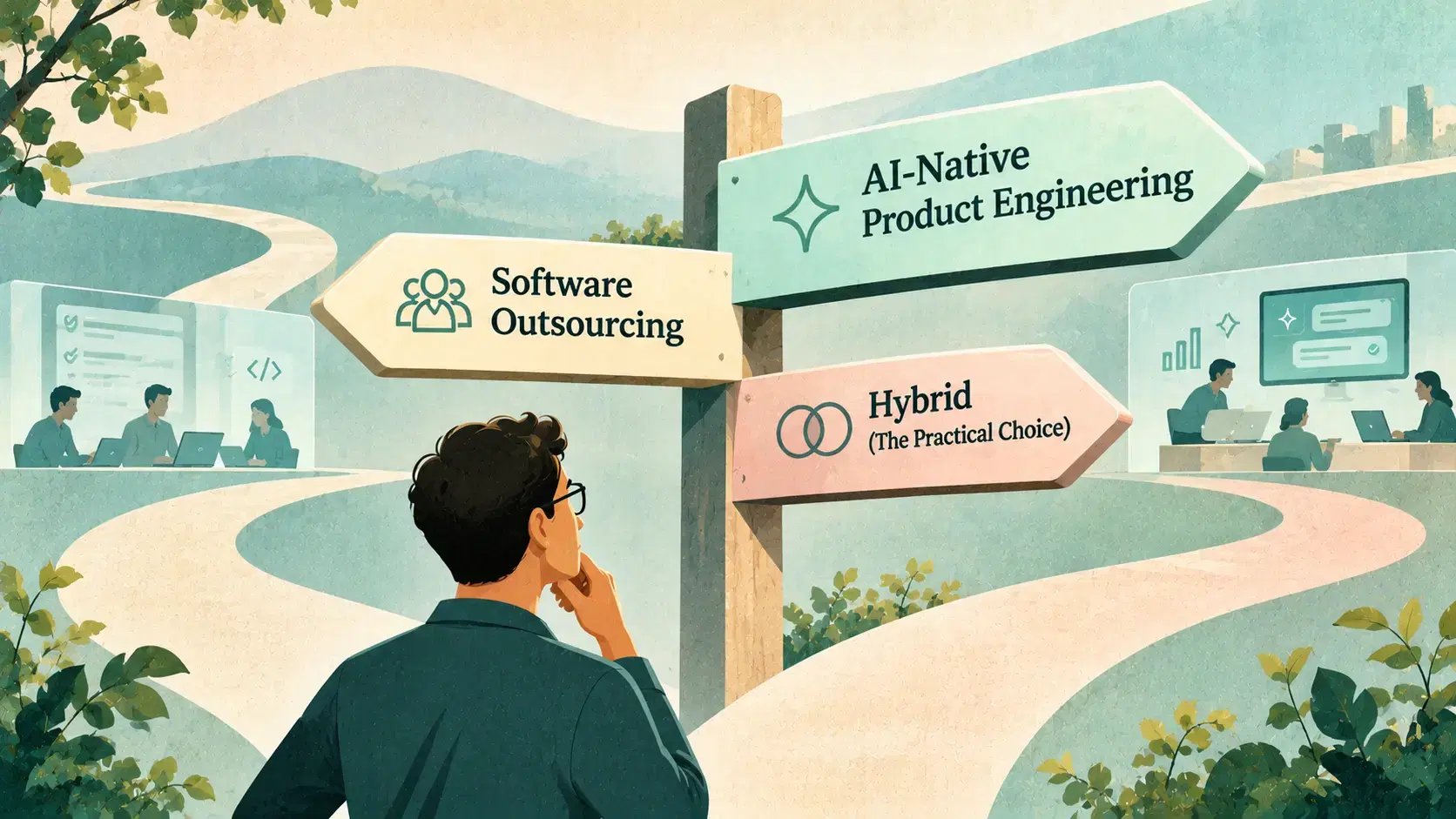
Build AI-Native From Scratch or Transform Your Existing Product?
When each path fits, the risks of both, and a playbook for transforming a product one workflow at a time.
 Vivek Satasiya10 min read
Key takeaways
- Build from scratch when AI is the product and you have nothing to protect. Transform when you already have users, data and proven workflows.
- Two questions decide it: how much of the core job will AI do, and how much value do you already have?
- The biggest risk of building new is shipping a demo without the production layer. The biggest risk of transforming is bolting a chat box onto the old design and calling it AI-native.
- Transform workflow by workflow: build the AI-native version alongside the old one, release it to a small group, measure, then retire the old path.
- Users' habits are the hardest thing to change. A working AI feature can still go unused, so measure whether behaviour changes, and design the transition from the old way to the new one.
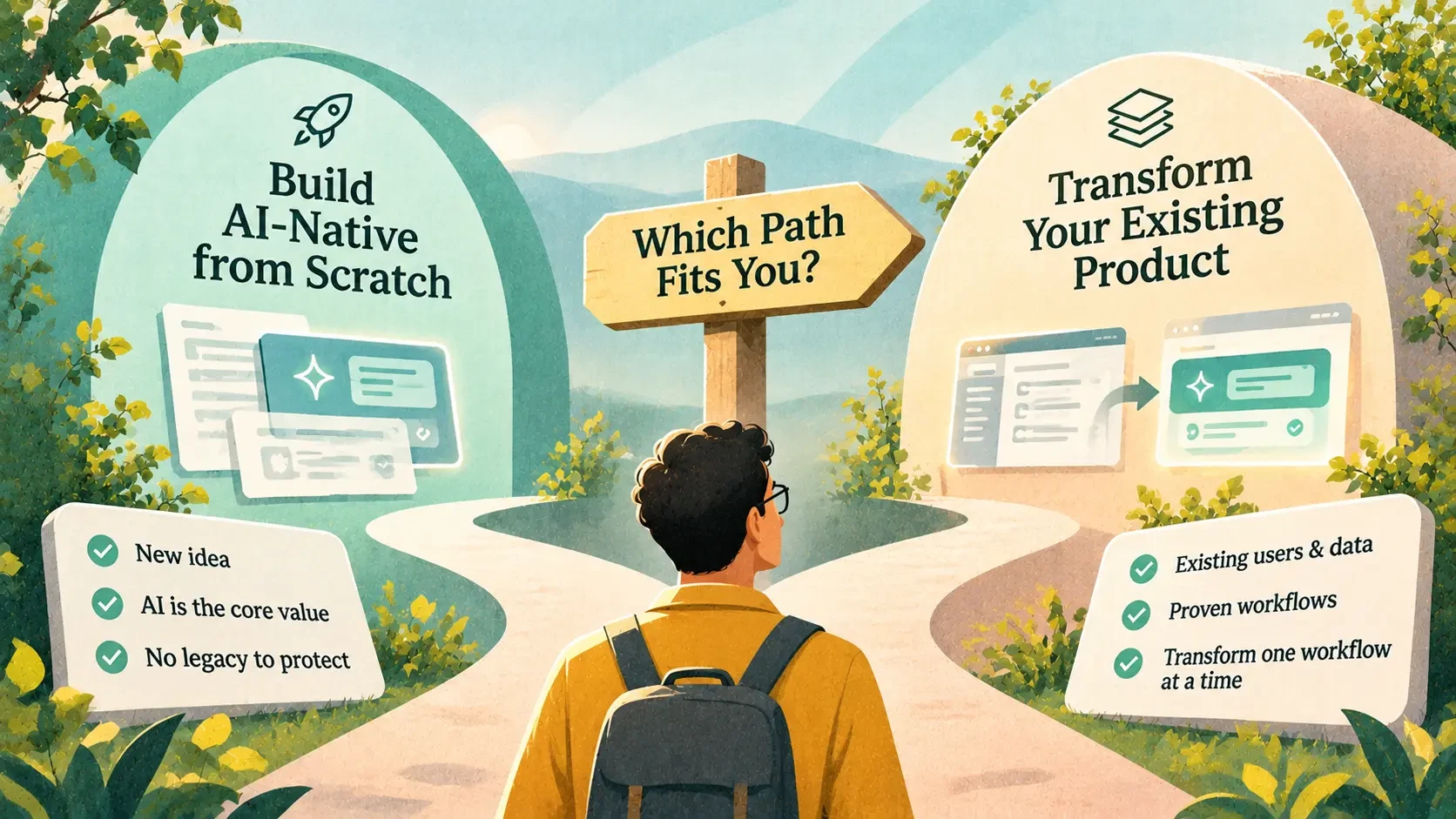
Build AI-native from scratch when AI will do the core job of a new product and you have no existing users, data or workflows to protect. Transform your existing product when you already have those, because they are an advantage a new product would have to earn.
In practice, most companies with a product in market should transform it one workflow at a time: build each AI-native workflow alongside the old one, prove it with real users, then retire the old path.
This is the same choice our AI-native product engineering page puts in four words: build AI-native, or become AI-native. We introduced both paths in our guide to the term. Here's how to decide, what goes wrong on each path, and the playbook we use to transform a product without breaking what customers rely on.
What are the two paths?
Building AI-native from scratch means designing a new product around what AI makes possible: the user experience, the data, the architecture and the team. Teresa Torres's Product Talk describes AI-native products as ones built with AI at the core of their architecture and value. It notes that these teams have to solve new problems, such as building evals from scratch and designing new interaction patterns.
Transforming an existing product means moving the product's core jobs onto AI while it stays in market. The same Product Talk entry points out the different challenge this brings: balancing new AI capabilities against an existing architecture, user expectations and established workflows.
There's a common middle ground, too: an AI-native product line or module built inside an existing company, next to the core product. It behaves like a new build, but it can draw on the company's customers and data.
Either way, the way the team works changes as much as the product does. We cover that side in AI-native vs traditional product engineering.
How do you choose between them?
Two questions do most of the work. How much of the core job will AI do? And how much value do you already have in users, data and proven workflows?
Put together, they give four answers:
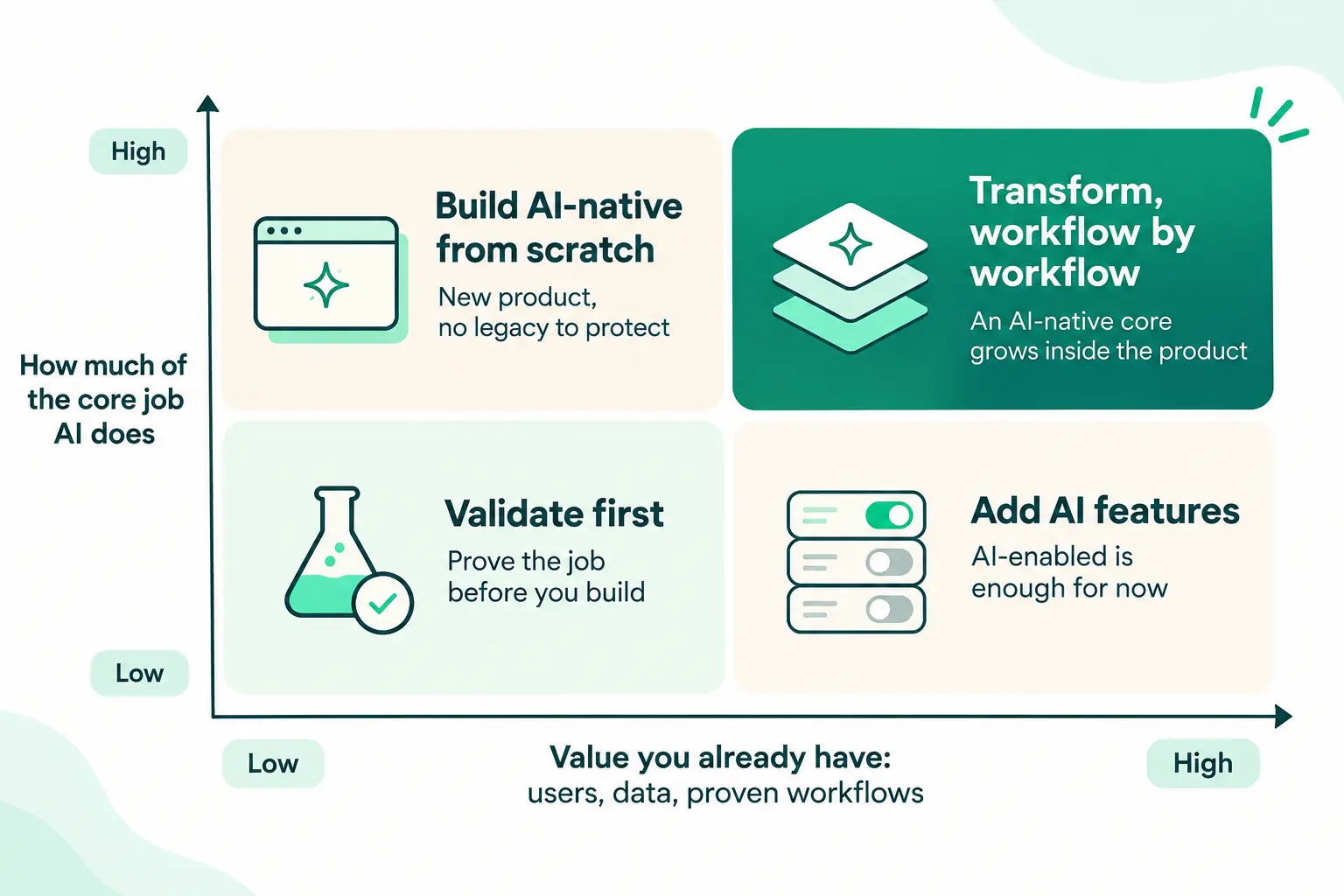
- Build AI-native from scratch (AI does the core job, little to protect): a new product or a new market.
- Transform, workflow by workflow (AI does the core job, a lot to protect): an established product whose core jobs are moving to AI. This is where most product companies we talk to are.
- Add AI features (AI helps but isn't the core, a lot to protect): an AI-enabled product is the right answer for now. Add the features, measure them, and revisit as AI takes on more of the job.
- Validate first (unclear role for AI, little to protect): prove that users want the job done before building either way.
Build AI-native, or become AI-native? Two questions decide it.
When should you build AI-native from scratch?
- AI is the product. It reads, decides, answers or acts, and there's no version of the product without it.
- You're entering a new market or a new segment where you have no existing users to carry over.
- The old product's design would hold the new one back. If every screen and data model assumes people do the work by hand, retrofitting may cost more than starting fresh.
- You can afford to earn users from zero. A new product starts with no distribution, no data and no trust.
When should you transform your existing product?
- You have users who already rely on you. Their habits, data and trust are an advantage a new product would take years to earn.
- You have data a new entrant doesn't. Your history of customer documents, decisions and outcomes is exactly what makes AI behaviour good.
- The workflows are proven. You know what the job is; AI changes how it gets done.
- You can't pause the business. Customers need the product to keep working while it changes.
What are the risks of each path?
| Path | Main risk | How to reduce it |
|---|---|---|
| Build from scratch | A convincing demo without the production layer: no evals, guardrails or observability | Write evals from real cases before the demo; build the production layer from the first release |
| Build from scratch | Rebuilding the basics (billing, access control, integrations) that slow you down | Build on a platform that already has them, and spend your effort on the core job |
| Build from scratch | No users, data or trust on day one | Start with one narrow job for one clear group of users |
| Transform | Bolting a chat box onto the old design and calling it AI-native | Redesign the workflow around AI, not the screen around a chatbot |
| Transform | Breaking what customers rely on | Build the new workflow alongside the old one, behind feature flags, and keep the old path until the new one wins |
| Transform | Users stick to their habits | Design for their anxiety about the new way and their habits from the old one; make the new path easier, not just smarter |
| Transform | An old codebase that resists change | Set architecture rules and measure drift before AI adds more code to it |
The first risk on the build path is the one we see most. We've written about why the AI demo works and production doesn't. On the transform path, an old codebase is where architecture drift does the most damage once AI starts adding code to it.
How do you transform an existing product without breaking it?
This is the playbook we use:
- Find where AI changes the job most. Look at where users struggle today: support tickets, abandoned flows, slow manual steps. Ask what they're trying to get done, what frustrates them about the current way, and what would make them hesitate to change. This is the product sense work.
- Pick one workflow and define "working". Write evals from real cases, including the messy ones, before building anything.
- Build the new workflow alongside the old one. Put the AI-native version next to the existing code, behind a clear interface, rather than rewriting the old code in place. It's the same idea as the strangler fig pattern used to modernise legacy systems: replace the system piece by piece while it keeps running.
- Release it to a small group first. Use feature flags, and keep the old path available so users can fall back. In Avesta AgentOS, each agent version packages its prompts, tools and settings, different channels can run different versions, and rolling back means returning to the previous version. Tracing every run shows which version did what.
- Measure the outcome, not just the feature. Track task completion, time saved and agent behaviour: where the agent was wrong, where users rephrased or gave up. Above all, check whether users are actually using the new way, not just whether it works.
- Retire the old path once the new one wins, then pick the next workflow. Each cycle moves more of the product's core onto AI.
For one workflow, going from demo to production typically takes us two to four weeks, including testing and integration, because we write evals from day one.
What we learned the hard way: users don't change habits on launch day
About a year ago, we worked with one of Australia's leading real estate portals. Their ambition was to turn the whole buying and renting experience into an AI-native one. We suggested starting with an experiment instead, and they agreed.
We picked search, the main entry point to the whole property journey. Next to the existing search box on the home page, we built a natural-language search. Users could type something like "two-bedroom apartment in Richmond with a pool and a garden, near the station" instead of picking a suburb and ticking filters. It shipped as a beta behind a feature flag, as a canary release to users in a single suburb first.
The AI worked. The behaviour didn't change. People kept typing what they had always typed into a property search box: a suburb name, sometimes a state. Years of using search boxes had taught them that was how search works, and a new capability behind the same box didn't change that.
Because the experiment was small and measured, we learned this in weeks, at little cost, instead of after rebuilding the whole portal.
The AI worked. The behaviour didn't change.
The lesson shaped how we approach every transformation since:
- Measure behaviour, not just accuracy. The question isn't only whether the AI answers well, but whether users ask it anything new. Track how many queries use the new style, and how often users who try it come back.
- Habit is the strongest force against change. Users fall back on what they already know, even when the new way is better. Plan for it from the start.
- Design the transition, not just the feature. Show example queries in the search box, suggest richer searches as people type, and turn a plain-language request into the familiar filters on screen so users can see what the AI understood. Keep the old way working alongside.
- Educate gradually. Awareness grows over weeks and months, through the product itself, onboarding and communication. The best transition is one users barely notice: the product simply starts understanding more of what they say.
- Experiment before committing. A full-portal rebuild would have shipped a capability most users didn't yet know how to use. A canary release showed us that first.
Can an existing product really become AI-native?
Some argue it can't: that a product built around screens and manual work will always be AI-enabled at best. We see it differently. A product becomes AI-native when its core jobs are done by AI, and that can happen one workflow at a time. Billing, permissions and audit trails can stay predictable; that's good design, not a failure to go AI-native.
What doesn't work is announcing an AI transformation and shipping a chatbot sidebar. The test is the same as in our guide to AI-native product engineering: switch the AI off. If the product's main job still gets done the old way, you haven't transformed it yet.
Where to start
Place your product on the matrix above. If it lands in "Transform, workflow by workflow", list three workflows where AI would change the job most, and pick the one where you can measure success most clearly.
That's what our discovery sprint does: we map where AI changes your product, pick the first outcome, and agree the architecture and eval baseline. Book a discovery call to start.
Sources
- Product Talk, AI native (glossary), last updated October 25, 2025
- Microsoft Azure Architecture Center, Strangler Fig pattern
Frequently asked questions
- Should I build a new AI product or add AI to my existing product?
- Build new when AI will do the core job and you have no users, data or workflows to protect. If you already have those, transform your existing product one workflow at a time. If AI only helps around the edges, adding AI features is enough for now.
- How do you transform an existing product with AI?
- Pick the workflow where AI changes the user's job most, write evals from real cases, build the AI-native version alongside the old one, release it to a small group behind feature flags, measure the outcome, and retire the old path once the new one wins. Then repeat.
- Can an existing product become AI-native?
- Yes, gradually. A product becomes AI-native when its core jobs are done by AI. Parts that should stay predictable, such as billing or permissions, can stay that way. A chatbot added to the old design doesn't count.
- What is the biggest risk of building an AI product from scratch?
- Shipping a convincing demo without the production layer: evals, guardrails, observability and human oversight. The second risk is starting with no users, data or trust, so begin with one narrow job for one clear group of users.
- What is the biggest risk of adding AI to an existing product?
- Bolting a chat box onto the old design and calling it transformation, and breaking workflows customers rely on. Building the new workflow alongside the old one, behind feature flags, avoids both.
- How long does it take to transform one workflow with AI?
- At Avesta Labs, moving one workflow from demo to production typically takes two to four weeks, including testing and integration, because evals are written from the first day.
- Why don't users adopt AI features in an existing product?
- Usually because of habit, not quality. Users keep doing what they already know, such as typing a suburb into a search box, even when the AI can handle much richer requests. Show examples, suggest richer queries, keep the old way working, and measure whether behaviour actually changes.
Share this article