AI Agent Human Approval: Which Actions Require It?
Four simple questions show which of your AI agent's actions need human approval. Then make sure the agent can't skip that step.
 Jeet Adeshara16 min read
Key takeaways
- Make an AI agent wait for a person before actions that can't be undone, reach outside the company, move money or change access, or touch many records. Let reads and drafts run.
- The person should approve the exact details, such as who gets the refund and how much. If the agent changes one detail after approval, that approval should no longer count.
- One approval should allow one action. A request that nobody answers in time should count as a rejection, never as a quiet approval.
- If the approval system itself is unsure what to do, nobody can approve and the action does not run. Engineers call this failing closed.
- If reviewers approve almost everything without reading it, the approval step has stopped working. Replace it with an automatic check or a narrower rule.
Say an AI support agent has been asked to "sort out the late orders". It finds 400 of them. It writes an apology email to each customer. It works out a refund for each order. Then it gets ready to send everything. Each step looks sensible on its own. But nobody planned for 400 emails and 400 refunds to go out in one go.
This post settles two things. First, which actions should an AI agent check with a person first? Second, how do you make sure it really stops? Most teams choose by feel. We give you four simple questions to ask about everything your agent can do. Then we show how we build the pause in our own systems.
What is AI agent human approval, and which actions need it?
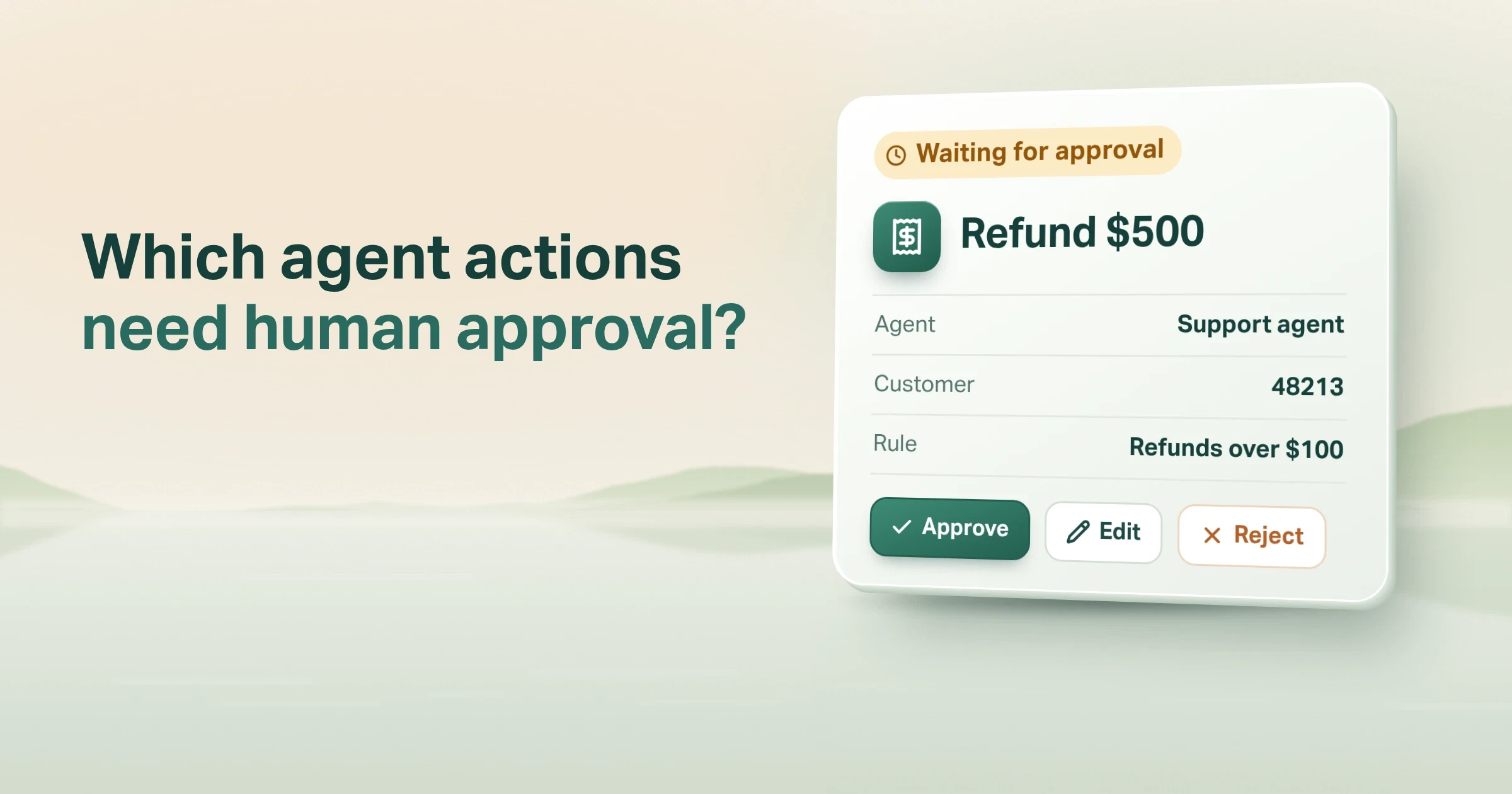
AI agent human approval means the agent stops and waits for a person before it does something risky. The person sees exactly what the agent wants to do, such as a $500 refund. They approve it, change it or reject it. Use it when an action can't be undone, reaches outside the company, moves money, or changes many records.
Everything else, such as looking things up, searching and writing drafts, can run on its own.
Put simply:
Low risk: the agent acts. High risk: the agent asks, and a person approves.
Engineers call each action like this a tool call: the agent asking another system to do something, like sending an email. The approval check sits between that request and the system that would carry it out.
We call that check an approval gate. Our agent harness explainer compares it to a cheque that needs a second signature. The agent fills in the cheque. A person signs it.
OWASP, a non-profit that tracks software security risks, lists "excessive agency" as a top risk for apps built on large language models, the AI behind tools like ChatGPT. In plain words, the agent can do more than it should.
OWASP names three causes: "excessive functionality; excessive permissions; excessive autonomy." One of its fixes is to "require a human to approve high-impact actions before they are taken" (OWASP LLM06:2025).
The hard part is deciding what counts as high-impact.
Which agent actions should require human approval?
If an action can't be undone, leaves the company, moves money or touches many records, it waits for a person.
Ask four questions about each action your agent can take. If the answer to any of them is yes, that action should wait for a person.
| Question | Examples that should wait | Usually safe to run alone |
|---|---|---|
| Is it hard or costly to undo? | Paying, deleting records, filing with a regulator | Drafting, saving a draft, adding a tag |
| Does it reach outside the company? | Email or SMS to customers who didn't ask, posting publicly, sending data to a partner's system | A reply to the person in the conversation, internal notes |
| Does it move money or change what someone is allowed to do? | Refunds, discounts above a limit, credit decisions, giving or removing access | Looking up a balance or a policy |
| Does it touch many records at once? | Bulk updates, anything over a set count | One record the user asked about |
Write each rule on the details, not the tool
The four questions tell you which kinds of action need a rule. The details of each request tell you which ones actually wait.
Take email. A reply to the customer who just asked a question is low risk. The same email sent to 400 customers is not.
So write each rule as a condition on the details, such as "refund over a set limit" or "more than 20 recipients". A blanket rule like "approve every email" is too blunt.
When not to use this table: if a mistake is cheap and quick to fix, a log you review each day is often enough. Making a person approve every action you could easily reverse mostly adds waiting.
Human in the loop vs human on the loop: which do you need?
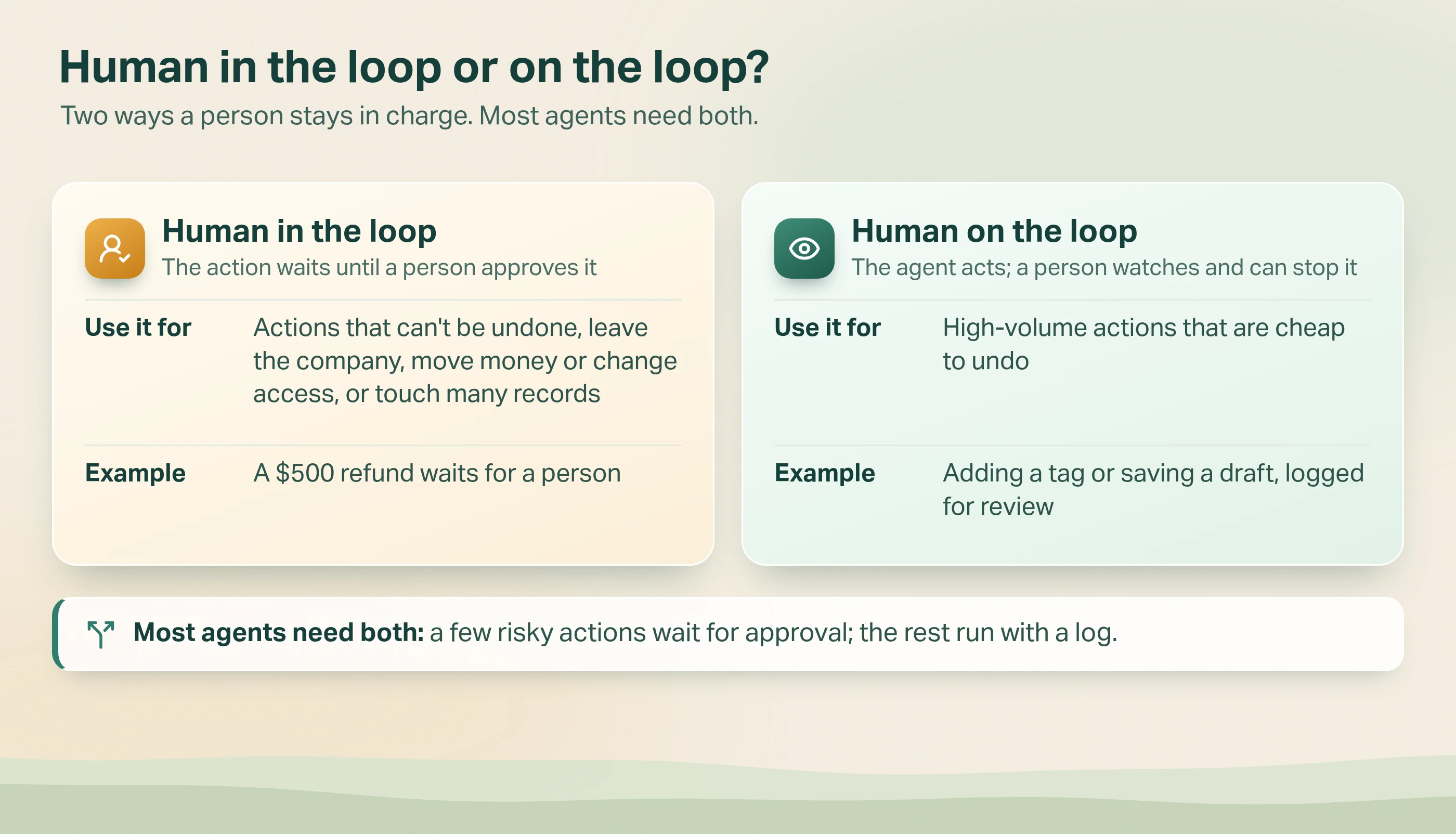
These two terms describe when the person steps in.
- Human in the loop: the action waits until a person approves it. Use it for any action that fits one of the four questions.
- Human on the loop: the agent acts, and a person watches and can stop or reverse it. Use it for frequent actions that are cheap to undo.
Many agents in real use need both. Low-risk actions run and are logged for review. A small set of risky ones wait.
The EU AI Act, Europe's law on artificial intelligence, asks for the second kind of control too. Its Article 14 calls for a way to "interrupt the system through a 'stop' button or a similar procedure" (EU AI Act, Article 14).
A third shape: the system flags, a person decides
Some work needs a third shape. The system only raises flags, and a person makes every decision.
In the Life Insurance Direct case study, Metricsense, our call quality and compliance product, reads every sales call. It lists anything it flags for a person to review, riskiest first.
"It flags. A person decides." Nothing is reported to a regulator, or anyone else, on its own.
What should the reviewer see before they approve?
A reviewer who sees only "The agent wants to issue a refund. Approve?" can't make a real decision. They will either block everything or approve everything. Give them this instead:
| Show the reviewer | Why it matters |
|---|---|
| The rule that was triggered, in plain words ("Refund over the set limit") | They know why this one reached them |
| The exact details: who, how much, what text | They approve the action, not the idea |
| Who or what asked for it, and in which task | They can check the request made sense |
| When the request expires | They know how long they have |
| Approve, reject with a reason, or edit a field | An edit often beats a flat no |
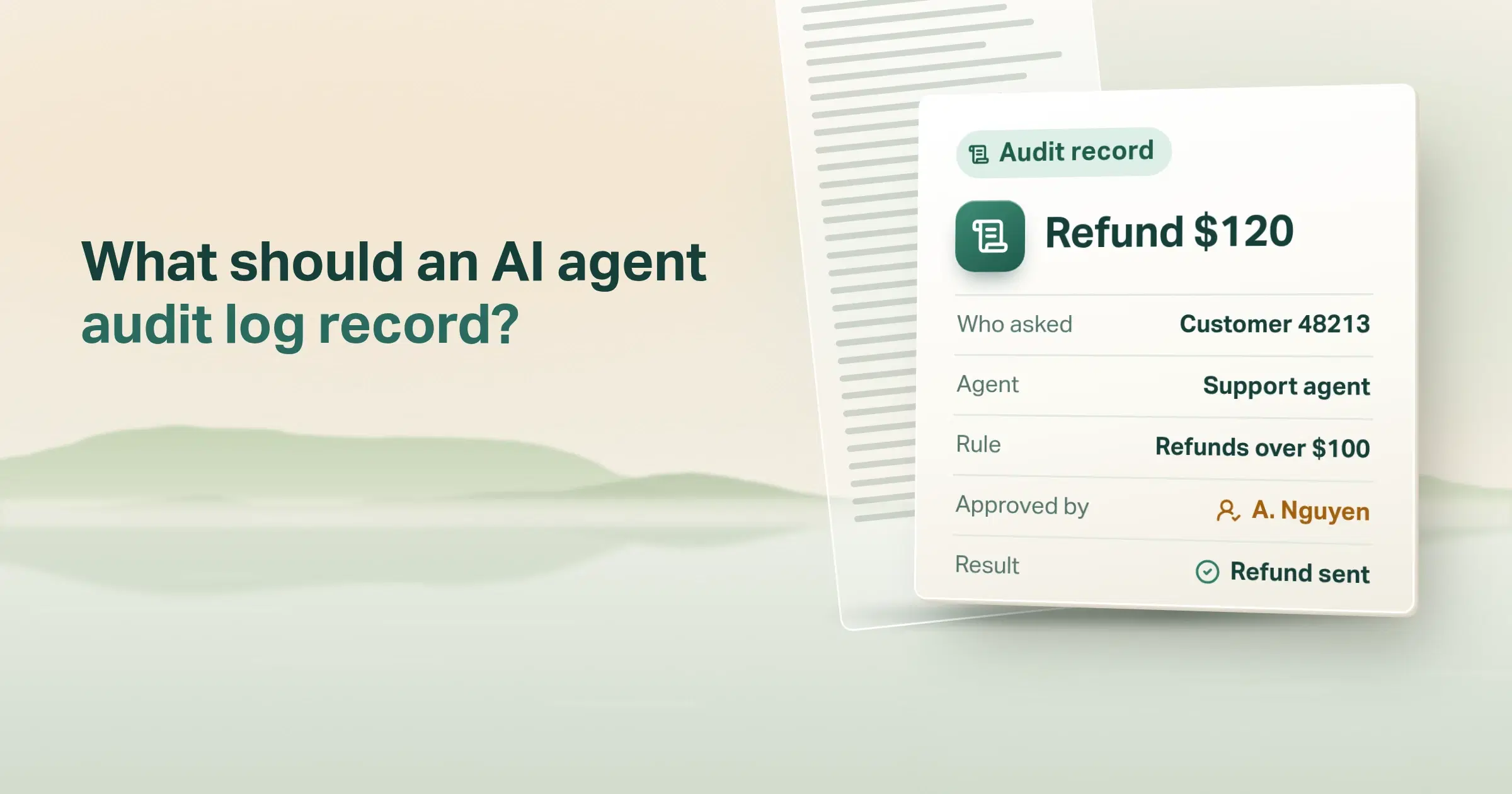
| The decision history, with names | The next reviewer and the auditor can follow it |
Let the reviewer edit, not only reject
Say the agent proposes a refund that the reviewer thinks is too high. A reject sends the agent back to propose something new. An edit lets the reviewer lower the amount. Only that edited version is approved.
Watch for automation bias
Article 14 of the EU AI Act also warns about "automation bias". That means people trusting whatever the system suggests too much.
A reviewer who sees only the agent's own summary is exposed to exactly that. Show the raw details, not just the agent's description of them.
How do you build an approval gate into an agent's tool calls?
In short: put the check in the software that carries out the agent's actions, not in the agent's instructions.
The check lives in the software, so the agent can't argue past it.
Why an instruction isn't enough
An instruction such as "always ask before refunding" is only a request to the model. The model can skip it, or a user can talk it out of it.
A wrapper is code around the tool that checks for approval first. The model can't argue its way past code.
What happens to each request
Here is how the check works, step by step.
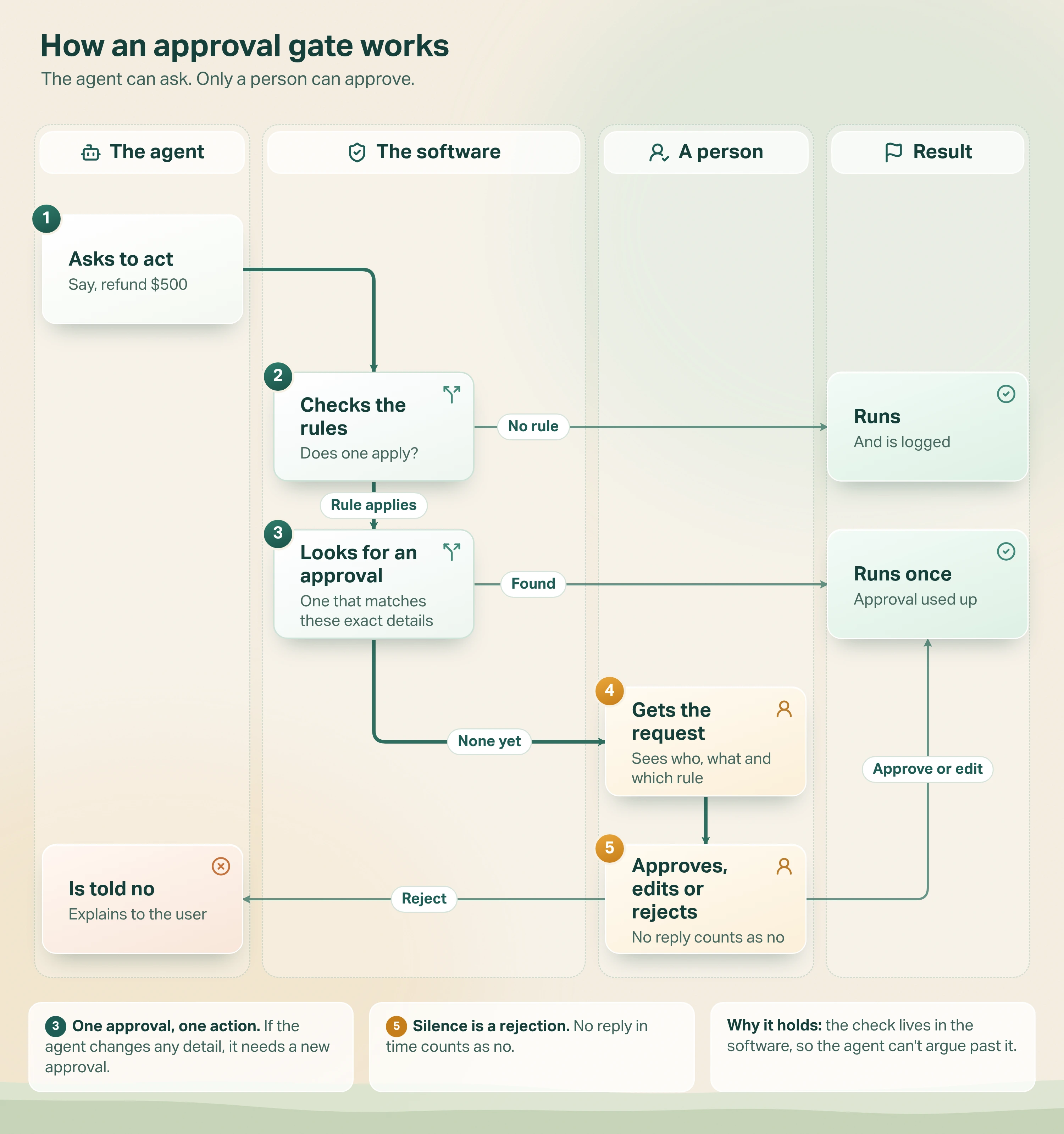
- The agent asks to act. For example, it wants to refund $500.
- The software checks the rules. If no rule applies, the action runs and is logged.
- It looks for an approval that matches these exact details: the same task, the same customer, the same amount. If there is one, the action runs once, and that approval is used up.
- If not, a person gets the request. They see who asked, what the agent wants to do and which rule caught it.
- The person approves, changes a detail, or rejects. If they lower the amount, the lowered version is the one that runs. No answer in time counts as no. Either way, the agent is told, so it can explain to the user instead of asking again and again.
Why this holds: the software matches each approval to the exact details with a fingerprint. That is a short code worked out from the details, using a secret key only the server holds.
If the agent changes the amount after approval, the fingerprint no longer matches, so it needs a new approval. And because an approval is used up the moment the action runs, two identical requests can't both go through on one approval.
What agent frameworks handle for you
Agent frameworks, the ready-made toolkits for building agents, now handle the pausing part. The OpenAI Agents SDK (software development kit) lets you mark a tool as needing approval. It then pauses the run when "no decision for that tool call is stored" (OpenAI Agents SDK docs).
LangGraph pauses with a step it calls an interrupt. It needs "a checkpointer to persist the graph state" (LangGraph docs). That saves the agent's progress while it waits.
What to watch: LangGraph notes that on resume "the runtime restarts the entire node from the beginning". So anything that node did before the pause runs twice.
Put the pause before the action. Keep that node free of other writes. You still write the policy, build the reviewer's screen and keep the audit record yourself.
How we build approval gates in Avesta AgentOS
In plain terms: each agent has rules for its risky tools, each rule has named reviewers and a deadline, and each approval counts for one action only.
I'll describe the pattern in Avesta AgentOS, the agent harness we build our AI co-workers on, and the checks we run on the gate itself.
On our public pages this sits under one line: "Audit trails, approvals, and escalation are built into workflows" (Safe AgentOps).
1. Policies are set per agent and per tool, with conditions on the arguments
Each rule has a name the reviewer sees. It has a set of conditions on the call's arguments, joined with AND or OR. And it has an approval chain: the steps a request passes through.
A tool with no policy runs unchanged. If several rules match one call, every one must be approved before it runs.
2. Each step in the chain has its own reviewers, quorum and clock
The quorum is how many reviewers must agree: any one, all of them, or a set number. Each step lists which decisions are allowed: approve, reject, edit or cancel.
It also has a timeout. Set it to suit the work. It should be long enough for a reviewer on a normal shift to see it, but short enough that nobody acts on a stale request.
When the timeout passes, the request is rejected by default. If the policy says so, it goes to the next step instead. If there is no next step, it falls back to reject.
3. The approval is bound to one call in one task
For rules with conditions, we hash four things together with a key unique to each agent. They are the tool name, the requester, the sorted arguments and the task id. The requester is the user or system that asked for the action.
A policy can leave out fields that change on every call and that the reviewer isn't approving, such as a timestamp. Anything the reviewer reads, including free text, stays in the hash.
An approval in one task doesn't count for the same call in another. Once the call runs, the approval is marked as used up.
4. The agent gets a result, not an error
A blocked call returns its status, the rule and the expiry time. So the model can tell the user "this is waiting for approval".
It doesn't crash or retry in a loop. After a decision, the agent is started again and makes the call once more.
One small lesson from the conditions
A comment in the Avesta AgentOS policy code says it plainly: "LLMs inconsistently represent absence". In other words, language models show a missing value in different ways.
It might arrive as null, an empty string, "null", 0 or false. So our "is empty" check treats all of those as empty. Without that, a rule like "approve if there is no purchase order number" would quietly never fire.
Two checks on the gate itself
An approval gate is a security control, so test it like one. Two places are easy to miss.
First, make sure the gate fails closed. That means when in doubt, nobody can approve and nothing runs.
Approval chains get edited, and steps get renumbered. If the code can't find the current step, the safe answer is that nobody may decide. The request waits, then expires. The unsafe answer is skipping the reviewer checks. Then anyone signed in could approve or edit the call.
Second, guard who can edit approval policies as closely as the risky tools themselves. If any member can delete a policy, or add themselves as its reviewer, the gate only looks like a control.
Avesta AgentOS requires the same permission to change an agent's approval policy as to change the agent.
Test the gate before launch
Three tests are worth writing before launch:
- Missing step. A request whose step is missing from its chain can't be decided by anyone.
- Policy edits. A member without permission to edit the agent is refused when they create, edit or delete its policy.
- Changed arguments. An agent that changes one argument after approval gets a new pending request, not an action.
When should you not add a human approval step?
Approval has a cost: someone's time, and a slower agent. Skip it, or replace it, when:
- The action is cheap to reverse. Log it and review a sample instead.
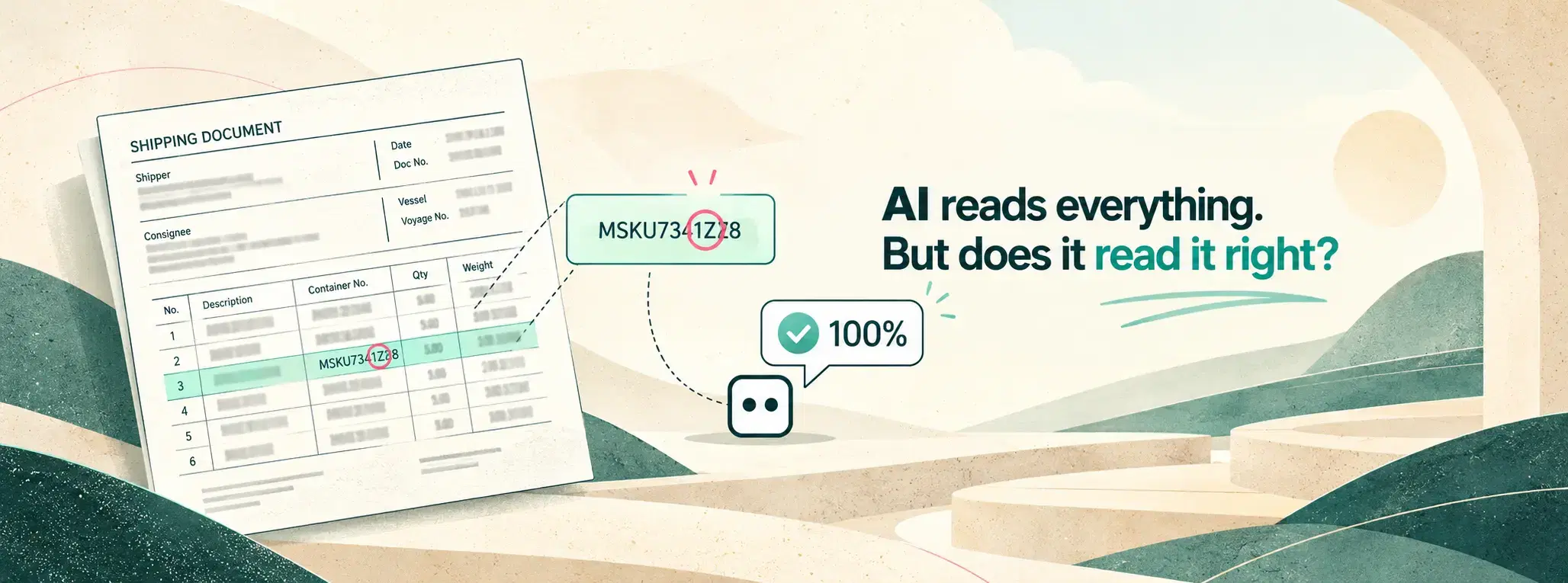
- A rule can decide. If a check outside the AI model gives a clear pass or fail, use it. In our document processing post, a check digit sends only the failed documents to a person.
- Reviewers approve without reading. If nearly every request is approved unchanged, the approval step only adds delay. Narrow the condition so only unusual cases reach a person.
- There are too many requests to read. A queue nobody can clear is worse than no queue. It makes people think risky actions are being checked when they aren't.
The test: if you can't say what a reviewer would catch that a rule would miss, the gate is probably in the wrong place.
What do Australia's AI guidance and the EU AI Act expect?
Neither says which of your agent's actions need approval. Both expect you to decide, and to show how.
Australia: maintain human control
Australia's National AI Centre lists "maintain human control" as one of six practices. It asks organisations to "implement mechanisms to enable human control and intervention during the operation of the AI system".
It also asks for training so the people overseeing the system know "when human intervention is needed" (Guidance for AI adoption). Our post on Australia's responsible AI guidance walks through all six.
EU AI Act: override, reverse and stop
The EU AI Act's Article 14 applies to high-risk systems. It asks that people can override or reverse what the system produces. It also asks that they can stop the system.
An approval policy, a reviewer screen and a record of decisions are practical evidence for both.
The bottom line
Make an AI agent wait for a person before risky actions. Those are actions that can't be undone, leave the company, move money or change what someone may do, or touch many records. Let the rest run, and keep a log.
Have the person approve the exact details, not just the tool name. Let one approval allow one action. Treat a request nobody answered as a rejection. And if the gate itself is unsure, nothing runs.
Then watch how reviewers use it. A gate everyone clicks through has stopped protecting you. A second signature only helps if someone reads the cheque. For the wider set of controls around an agent, see our guide to AI agent guardrails.
Look at what your AI agent can do today. Which of those actions would you want a person to sign before they run?
Want approval gates your auditors can follow, on the agent actions that matter? See how we run agents with Safe AgentOps.
Get started: hello@avestalabs.ai
Frequently asked questions
- What is human in the loop authorization for AI agents?
- It means the agent can suggest an action but can't carry it out until a named person approves it. That person sees exactly what will happen, such as who gets paid and how much. They can approve it, change it or turn it down. The agent's own reasoning never counts as permission. A good system also records who decided, when and why, and ties that decision to one action.
- What are human-in-the-loop agents?
- They are AI agents designed to stop at set points and wait for a person. The agent does the reading, thinking and drafting by itself. When it reaches a risky step, such as a payment or an email to a customer, it pauses. A named reviewer approves, edits or rejects that step. The agent then carries on with the reviewer's answer.
- Can one agent use human in the loop and human on the loop at the same time?
- Yes, and most agents in real use should. Make the few hard-to-undo actions wait for approval. Let everything else run while a person checks a sample of the log. Look at the split once a month. If reviewers almost never change an action, it can move to checking after the fact. If an action keeps being reversed, move it the other way.
- What happens if nobody approves the request in time?
- Decide this before you launch. The safe default is that the request expires and counts as a no, so the action never runs by accident. For urgent work, you can pass it to a second reviewer instead. Either way, tell the agent that the request expired. Then it can let the user know, rather than trying again and again.
- Can the reviewer change what the agent wanted to do?
- They should be able to. Changing one detail, such as lowering a refund amount, is often better than a flat no. Once the reviewer edits the request, their version is the only one allowed to run. If the agent later tries again with different details, that counts as a new request and needs a new approval.
- How many agent actions should need human approval?
- As few as keep you safe. Start with actions that can't be undone, reach outside the company, move money or change many records. Let everything else run and keep a log. Then track how often reviewers approve without changing anything. If that is nearly always, swap the approval for an automatic check, or tighten the rule so only unusual cases reach a person.
- Do OpenAI and LangGraph support human approval for tool calls?
- Yes. In the OpenAI Agents SDK you mark a tool as needing approval. The run then pauses, and you can save where it got to while you wait. LangGraph pauses with an interrupt and resumes with the reviewer's answer. It uses a checkpointer to save progress in between. Neither tool sets your rules for you. You still write the policy and build the reviewer's screen.
Share this article