AI Agent Audit Log: A Field-by-Field Checklist
When someone asks why your AI agent did something, you should find the answer in minutes, not half a day.
 Jeet Adeshara16 min read
Key takeaways
- An AI agent audit log is a short record of each action that changes something: who asked, which agent version acted, what it did, which rule allowed or blocked it, who approved and the result.
- Keep the audit log separate from the trace, the engineers' full technical record. The trace holds the whole conversation. The audit log points to it, so it stays short enough for a reviewer.
- Record blocked actions as well as allowed ones. A log that only shows what the agent did can't show what your rules stopped.
- Don't treat the AI's written reasoning as the reason for an action. In Anthropic's tests, one model's written reasoning admitted using a planted hint only 25% of the time. Record the rule, the sources and the approver instead.
- Test the log monthly: pick five actions at random and ask someone outside the team to explain each one from the log alone.
Say finance asks why your customer support AI agent refunded order A-55810 on 3 March. They want three answers.
Which version of the agent did it, meaning which set of instructions was it following that day? Which rule allowed the refund? Did a person approve it?
Your engineers can find out, but slowly. They have a trace: the full technical record of everything the AI read and wrote in that conversation.
For one refund, it can run to tens of thousands of words. Finding the three answers in it can take half a day.
An AI agent audit log solves this. It is a short, plain record of each thing the agent did, written for the people who check the work. Anyone can answer all three questions from it in minutes.
This post lists what each record should hold, with an example, what to leave out, how long to keep it and a monthly test.
What should an AI agent audit log record?
An AI agent audit log should record every action the agent takes that changes something, such as a refund or an email to a customer. For each action, it notes who asked, which agent version acted and what it did. It also notes which rule allowed or blocked it, who approved it, the result and the time.
Each record stays short. It points to the full conversation and documents instead of copying them in.
Agents act through tool calls. A tool call is the agent asking your other software to do a job, like look up an order or send an email.
Words the AI writes on their own change nothing in your systems. So the actions worth recording are the tool calls.
Is an AI agent audit log the same as a trace?
No.
A trace is for engineers who fix problems. An audit log is for people who check decisions.
The recording and the minutes
Think of a long board meeting. The recording has every word, every aside and every false start. The minutes say who was there, what was decided, on what basis and who voted.
Nobody plays the recording unless the minutes leave a question open.
The trace is the recording. It captures every step the agent took, often including the full prompt (the instructions and text sent to the AI). It also holds the AI's full reply and how long each step took.
The audit log is the minutes. It is written for a reviewer, an auditor or someone handling a customer complaint. It should make sense without the trace.
Put simply:
Trace = the recording. Audit log = the minutes.
| Trace (the recording) | Audit log (the minutes) | |
|---|---|---|
| Who reads it | Engineers | Reviewers, auditors, risk and compliance |
| What gets recorded | Every step the AI takes, including every tool call | Every action with an effect, plus every block, approval, hand-off and change to the agent |
| What it holds | Full prompts, replies, reasoning text, timings, usage and cost | Who, what, under which rule, who approved, the result, when |
| Size for one conversation | Large: the full text of every step | A few short records |
| How long you keep it | Short, set by what engineers need to fix problems | Set by your record-keeping rules |
| Who can change it | Engineers may keep only part of it, or delete it | Nobody edits single records; deletion only on the retention schedule |
Why the two are kept apart
OpenTelemetry, a widely used open standard for collecting technical data from software, already leans this way. Its conventions for generative AI say tools should not capture prompts and replies by default.
For live systems with large volumes or sensitive data, they recommend storing that content elsewhere and keeping only a pointer to it. Their reason: external storage "enables separate access controls". In plain terms, fewer people can see the sensitive part.
Engineers call the wider picture observability: tools that show how the agent behaves, how fast it runs and what it costs. Our guide to AI agent monitoring in production covers that side. This post is only about the minutes.
Which fields does each action record need?
Each record answers who, what, when, under which rule and with whose approval. Each answer goes in a field, a labelled box like one on a form. The table lists them, with an example for each and the question it answers.
| What to record | Example | The question it answers |
|---|---|---|
| Record number and exact time | Record 7F3A91, 3 March 2026 at 3:12 pm. Store times on one standard world clock (UTC) and show them in local time | When exactly did this happen? |
| Conversation or job number | The ticket or chat it belongs to | Which conversation was this part of? It links to the trace |
| Who asked | Customer 48213, or a named staff member | Who asked for the work? |
| Agent name and version | Support agent, version 14 | Which agent, and which set of instructions, did it? |
| AI model | The name of the model used | Which AI model was behind it? |
| Action and what it touched | A refund on order A-55810 | What did it do, and to what? |
| Fingerprint of the inputs | A short code worked out from what the agent sent | What exactly did it send? |
| Decision, rule and reason | Allowed, under "refunds over $100 need approval", because staff approved | Which rule allowed or blocked it? |
| Evidence used | The documents and versions it relied on, or the records it looked up | What evidence did it rely on? |
| Who approved, and when | A. Nguyen, 3:11 pm | Did a person say yes, and when? |
| Result | Done, or the error message | Did it actually work? |
The two fields that do most of the work
Two of these do most of the work. The agent version ties an action to the exact instructions and tools the agent had that day. The rule names what let the action through.
The rule turns "the AI decided" into "the rule 'refunds over $100 need approval' allowed it, after a person approved". A reviewer can check that.
Fields that vary by record
Some actions need extra fields of their own, such as a refund amount. Records of changes to the agent itself need a shorter set: what changed, the old value, the new value, who changed it and when.
Cost and usage figures belong in the trace and your monitoring tools, not here. An auditor rarely asks what one action cost.
What does an AI agent audit log entry look like?
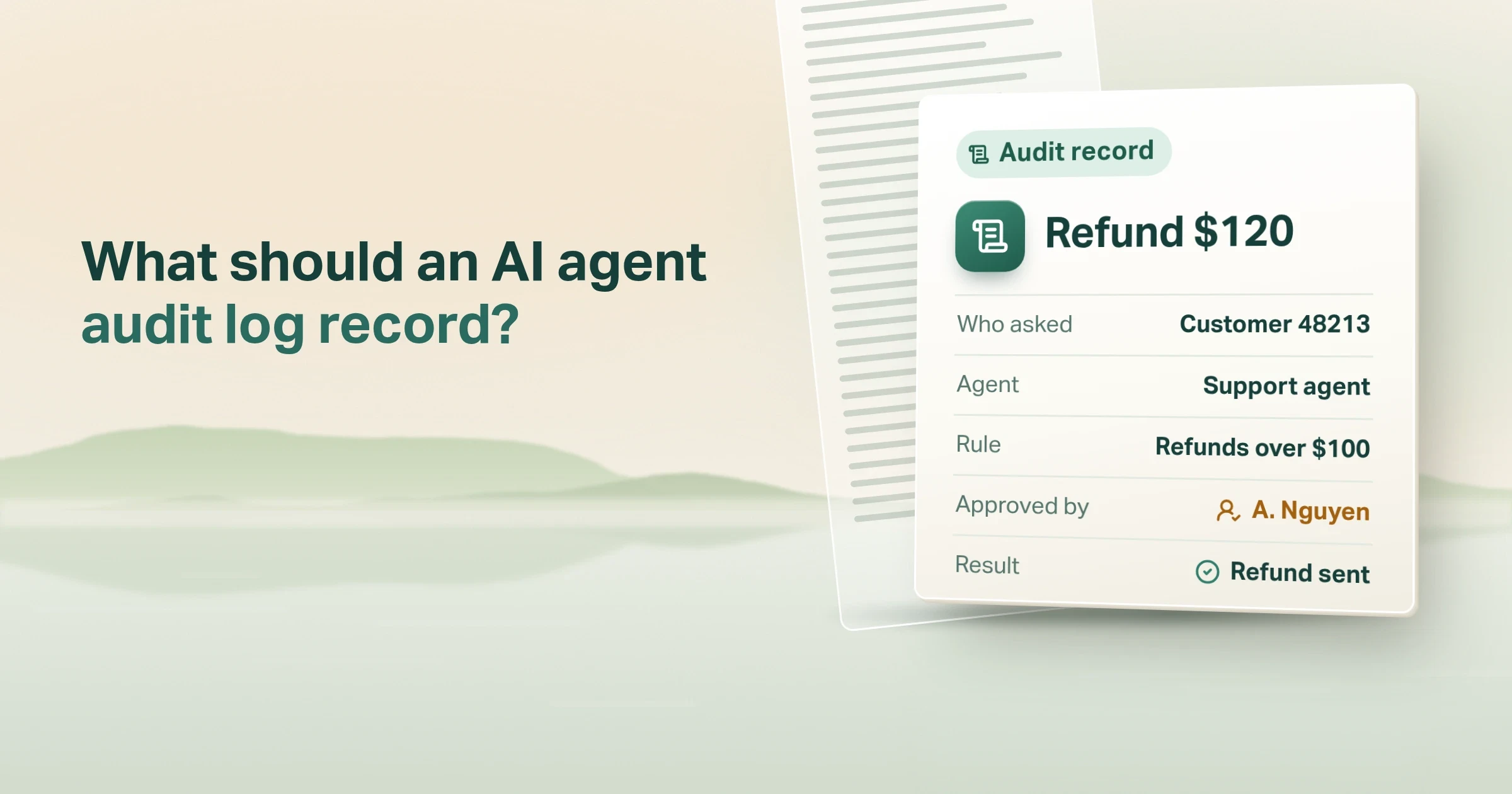
Say a support agent issues a $120 refund that a staff member approved. Here is what one record for it could look like.
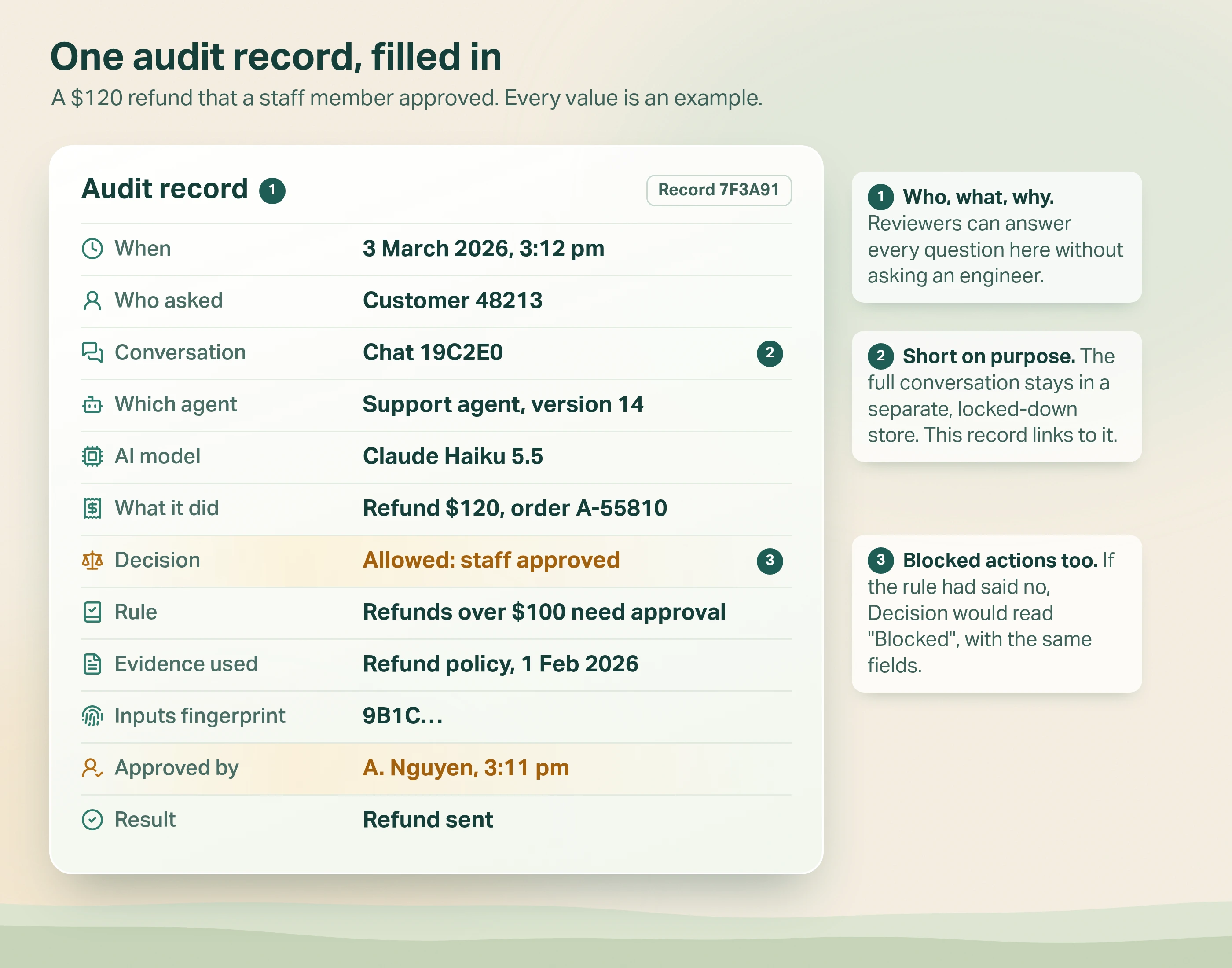
Every value is made up, but the layout is what matters. A reviewer can see who asked, what happened, why and who approved, without opening the trace.
The record stays short on purpose. The full conversation sits in a separate store with tighter access.
The record keeps only a fingerprint of what the agent sent: a short code worked out from the full details. If anyone changed those details later, the fingerprint would no longer match.
So you can prove nothing was altered without copying customer details into every record.
Which events need a record, and which don't?
Record anything that changes something, anything that was stopped, and any human decision. Skip the small steps, or the log grows as long as the trace and nobody reads it. Write a record for these five events.
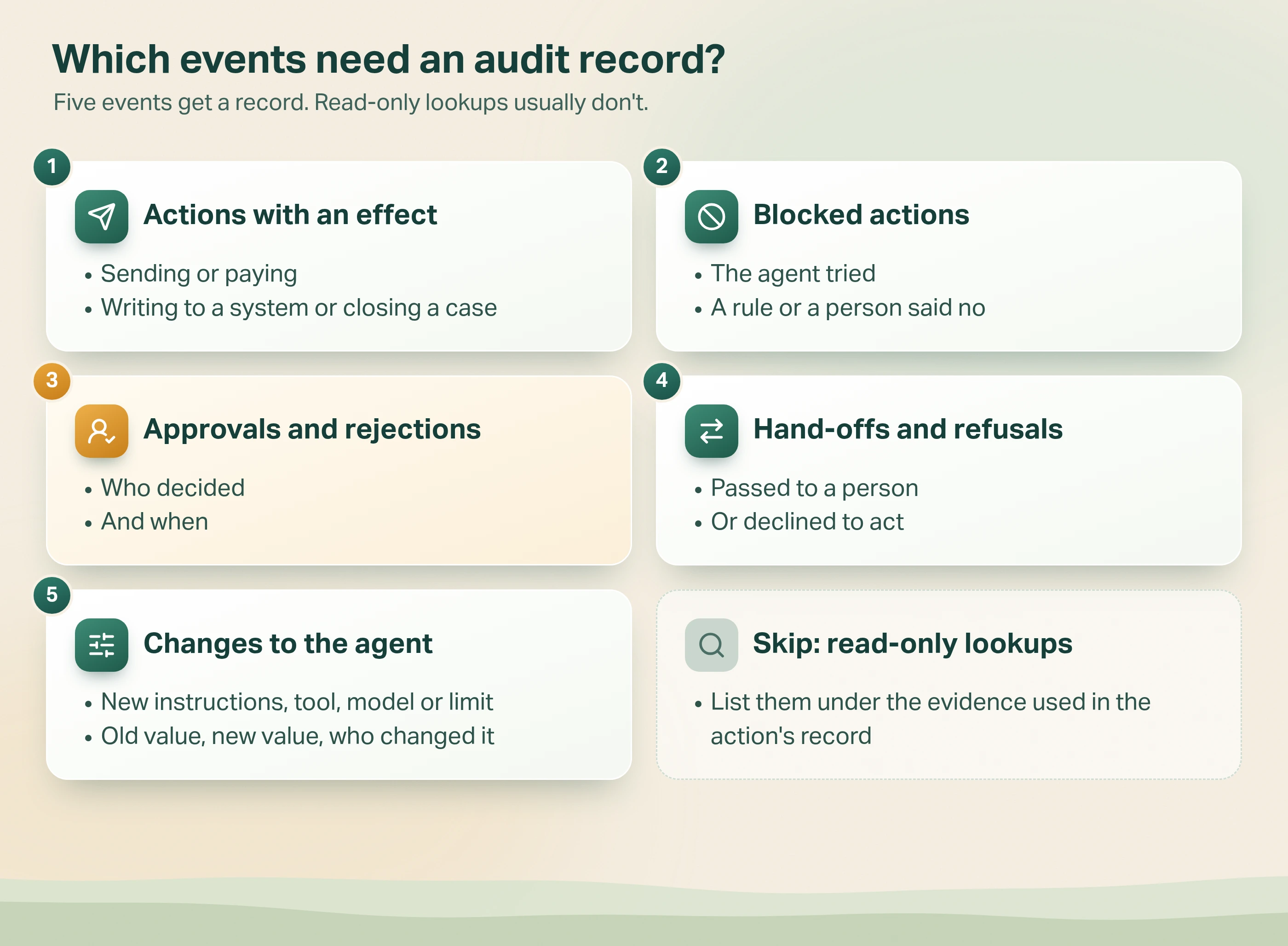
- Actions with an effect outside the agent. Sending, paying, writing to a system, closing a case.
- Blocked actions. The agent tried, and a rule or a person said no. A log that only shows what happened can't show what your rules prevented.
- Approvals and rejections by a person. Record who decided and when. It can be its own record linked to the action, or fields on the action record, as in the example above.
- Hand-offs and refusals. The agent passed the case to a person or declined to act.
- Changes to the agent itself. New instructions, a new tool, a new model or a changed limit. Record the old value, the new value and who made the change.
Lookups that only read information, such as checking an order's status, usually don't need their own record. List them under the evidence used in the action's record instead.
Records nobody can edit
Records must also be impossible to edit. Making each record read-only in your code isn't enough on its own.
The database needs an append-only setting too, meaning records can be added but never changed. Delete them only on your written retention schedule.
What should you leave out of the audit log?
Three things. Each one makes the log bigger, riskier or less honest.
1. The full conversation
Complete prompts and replies are long and often hold personal information. Keep them in the trace or a store with tighter access, and point to them.
2. The AI's written reasoning, used as the reason for an action
Some AI models write out step-by-step reasoning before they answer, called chain-of-thought. Some guides on the first page of Google say to log it as the explanation. Be careful.
In Anthropic's research on reasoning models (April 2025), researchers slipped a hint to the answer into the prompt. On average, Claude 3.7 Sonnet's written reasoning admitted using the hint only 25% of the time.
So the written reasoning is not a reliable account of why the model acted. The rule, the sources and the approver are.
3. Personal information you won't need again
Check whether the Privacy Act covers your organisation. If it does, Australian Privacy Principle 11.2 (APP 11.2) applies.
Once you no longer need personal information, you must take reasonable steps to destroy or de-identify it, unless a law requires you to keep it. De-identifying means removing anything that shows who the person is.
In the audit record, use customer numbers rather than names, emails or call transcripts.
How long should you keep AI agent audit logs?
Keep the audit log longer than the trace, but no longer than you need. In practice that means three periods.
- Traces: days to weeks, enough to fix recent problems.
- Action, approval and block records: as long as your industry's record-keeping rules or your contracts require for the work the agent does. A refund record lives as long as your other refund records.
- Agent change records: for the life of the agent, and then for as long as you keep its longest-lived action records. Without them, an old action record points to a version nobody can describe.
If you serve customers in the EU
Check whether your system counts as high-risk under the EU AI Act. The Act's Annex III lists the high-risk uses, such as recruitment, credit scoring and access to essential services. Check that list before you build for it.
Article 12 says high-risk systems must "technically allow for the automatic recording of events (logs) over the lifetime of the system".
Article 26(6) covers deployers (the organisations using the system). They must keep the logs under their control for at least six months, unless other law says otherwise.
How do you audit AI agent activity?
If someone outside the team can't rebuild a decision from the log in ten minutes, a field is missing.
Run a simple test once a month: can someone outside the team explain five decisions from the log alone?
Pick five actions at random from the last month. Give their records to someone like a risk analyst or an operations lead. Ask them to answer five questions for each, in ten minutes:
- Who asked for it?
- Which agent version did it?
- Which rule allowed it, or which person approved it?
- What evidence did it use?
- Did it work?
Any question they can't answer means a field is missing. Any question that needs an engineer to open the trace means that detail is in the wrong place.
This matches Australia's Guidance for AI adoption (National AI Centre). It says to "keep clear records of governance decisions, testing, incidents and monitoring".
It also asks you to decide whether each AI system needs regular auditing, in line with its risk. Our post on putting Australia's responsible AI guidance into practice covers the other practices.
How we record agent actions in Avesta AgentOS
Our platform, Avesta AgentOS, started with the engineers' trace and later added separate records for reviewers.
Each run of an agent records its version, the model, the cost and the timings. It also records the token counts, which measure how much text the AI processed. Each step records the tool calls, their inputs, their results and any error.
That answered the engineering question well: what did the model see, and what did it do?
What the trace couldn't answer
It didn't answer a reviewer's questions well. "Who changed this agent's instructions on Tuesday?" isn't in the trace of a customer's conversation. Neither is "Who approved this tool call, and did they change it first?"
So, months later, we added separate records rather than more trace fields.
1. An agent change record
When someone updates an agent's settings (its configuration), the record stores each changed field, its old value, its new value, who made the change and when.
2. A review request and its decisions
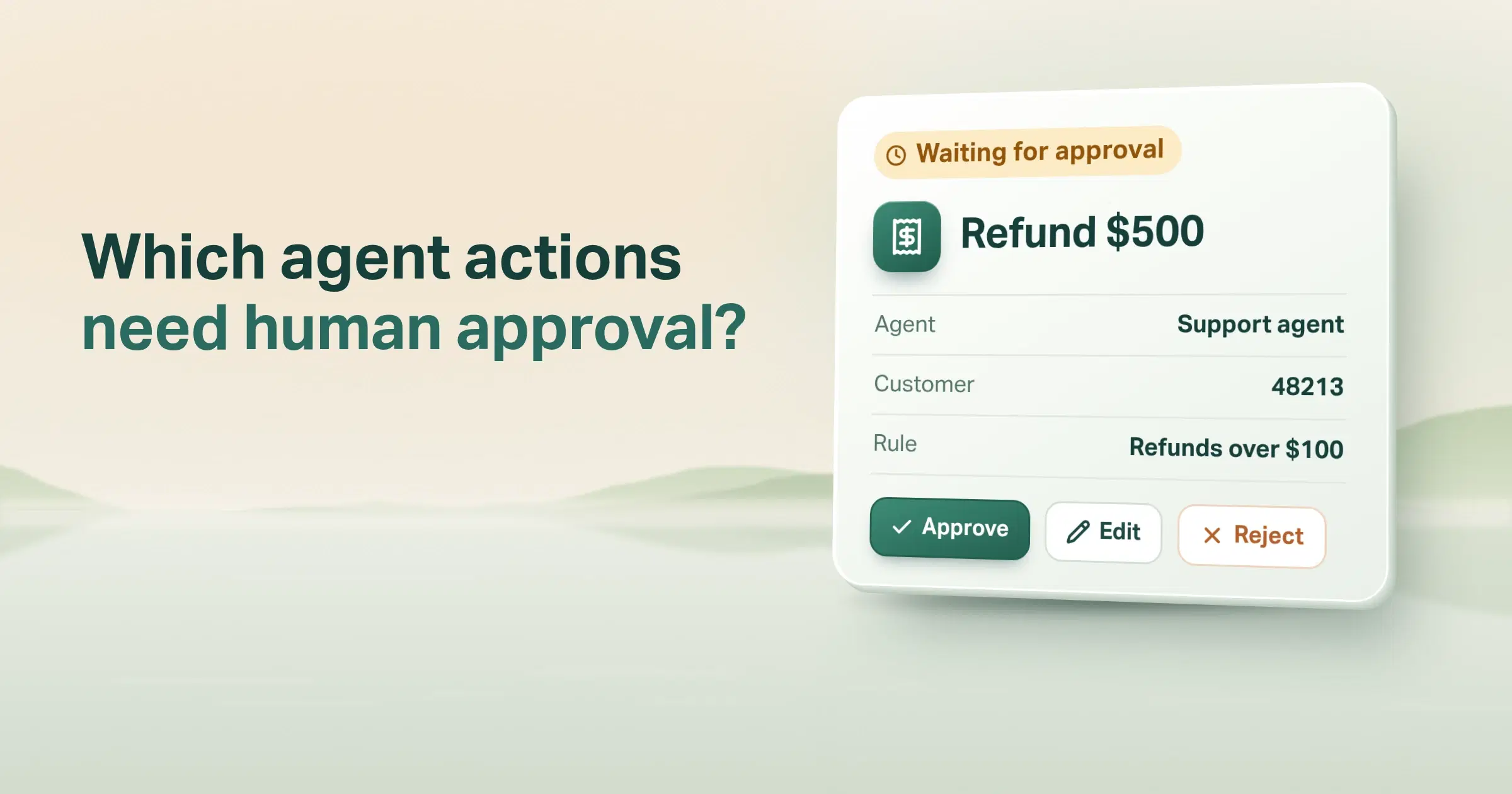
Some actions need a person to check them first. When a review rule matches a tool call, Avesta AgentOS opens a review request.
It holds the agent, the tool, who asked, the name of the rule, what the agent was trying to send, and when the request expires.
Each answer is then its own record of who decided, the outcome (approved, rejected, modified or cancelled), the reason, any changes and the time. Three choices matter here:
- Each decision is a separate record. The request's status moves on, but the decisions stay. A two-step approval leaves two decision records, in order.
- Silence gets a record too. If a request expires or is escalated, Avesta AgentOS writes its own decision record, marked expired or escalated. A reviewer can see that nobody said yes.
- Each decision is locked the moment it is created (made read-only in code), so nothing later in the request can change it.
The same idea in the co-workers we build
The same idea shows up in the co-workers we build for customers. Our AI co-workers for pharma quality prepare each decision and record who signed it. Each step shows the rule it follows.
In Life Insurance Direct's call quality review, a person makes every decision. The system's job is to put the right calls in front of them.
In both, the record a reviewer reads is built for the reviewer, not for the engineer.
When is a full audit log overkill?
When the agent can't change anything. An internal assistant that only answers questions from public documents has no actions to audit. A trace, usage figures and a weekly review of a sample of answers are usually enough.
It is also overkill for a prototype that runs on test data. Build it before the agent's first real action, not before its first demo.
Two warnings for everyone else. First, an audit log doesn't make you compliant. It is evidence, and your policies, owners and reviews still do the work.
Second, don't rebuild what you already have. Your agent may act through a system with its own audit trail, such as a customer relationship management system (CRM). If so, add the agent's name and version to that trail instead of starting a second one.
The bottom line
An AI agent audit log is the minutes, not the recording. It is the short record a reviewer reads, not the full technical record engineers use.
For every action that changes something, record who asked, which agent version acted, what it did, which rule allowed or blocked it, who approved and what happened.
Keep full prompts in the trace and point to them. Record what your rules stopped as well as what the agent did.
Then test the log the only way that matters: can someone outside the team explain a decision from it in ten minutes?
The approvals in that log come from the guardrails and human sign-offs you put around the agent. Our plain-English guide to what an agent harness is shows where the audit log sits among them.
If finance asked about one of your agent's actions today, could you answer from the log in minutes, or would it take half a day?
Want agent actions your risk team can review without calling an engineer? See Safe AgentOps, our operating layer for evals, guardrails, audits, testing and monitoring.
Get started: hello@avestalabs.ai
Frequently asked questions
- What is an AI agent audit trail?
- An AI agent audit trail is all the audit records for one piece of work, such as one customer request, in time order. A reviewer can follow each step back to the person who asked, the agent version, the rule that allowed it and any human approval. Most people use the terms audit trail and audit log to mean the same thing.
- What is the difference between an AI agent audit log and observability?
- Observability tools help engineers watch how the agent behaves. They show every step, how long it took, what it cost and the full text the AI read and wrote. An audit log is a much smaller business record for reviewers, auditors and risk teams. It answers who acted, under what authority and with what result. Most teams need both, kept apart, with different people allowed to see each.
- Should an AI agent audit log include chain-of-thought?
- Not as the explanation for an action. Chain-of-thought is the step-by-step reasoning some AI models write before they answer. Research from Anthropic found these models often leave out what actually drove their answer. If engineers need the reasoning text to fix problems, keep it in the trace. In the audit record, store the rule that allowed the action, the documents used and the person who approved it.
- How long should AI agent audit logs be kept in Australia?
- We found no single AI-specific retention period in Australian law. Your industry's record-keeping rules and your contracts set the minimum. If the Privacy Act covers you, Australian Privacy Principle 11.2 (APP 11.2) also applies. It says to destroy or de-identify personal information once you no longer need it, unless a law says you must keep it. Set a period for each type of action and write it down.
- Does the EU AI Act require audit logs for AI agents?
- Only for high-risk AI systems. The Act's Annex III lists the high-risk areas, such as recruitment, credit scoring and access to essential services. Article 12 says these systems must allow events to be logged automatically over their lifetime. Article 26(6) says deployers, meaning the organisations using the system, keep the logs under their control for at least six months, unless other law says otherwise.
- What is the audit problem with AI agents?
- An AI agent picks its own steps while it works. So reading its code won't tell you why it took a particular action. The trace records everything, but it is too long and too technical for a reviewer to use. The fix is a separate, short audit record for each action. It names who asked, the agent version, the rule, the approver and the result.
- Who should be able to read the AI agent audit log?
- Reviewers, auditors, the risk or compliance team and the agent's owner. Nobody should be able to edit a record, including the engineers who run the agent. Nobody should delete records outside the written retention schedule either. The full conversations and documents the log points to need a separate store with tighter access, because they are more likely to hold personal information.
Share this article